What Happens to Your Data Inside Budgeting Apps?
When you connect your bank account to a budgeting app, you’re sharing more than your transaction history. You’re creating a data relationship that often involves multiple companies, persists after you delete the app, and may include practices that aren’t obvious from the app’s marketing page.
A 2026 study analyzed 20 popular Android budgeting apps and found that 60% of them share user data with third parties in some form, and one in four specifically share your financial information with third parties. Most people have no idea this is happening when they tap “connect account.”
This post explains exactly what happens to your financial data inside a budgeting app, what questions to ask before connecting anything, and what your options are if privacy matters to you.
The Chain of Data Access You’re Agreeing To
Here’s what most people picture when they connect a budgeting app to their bank: the app talks to the bank, gets your transactions, shows them to you. Clean and simple.
Here’s what actually happens.
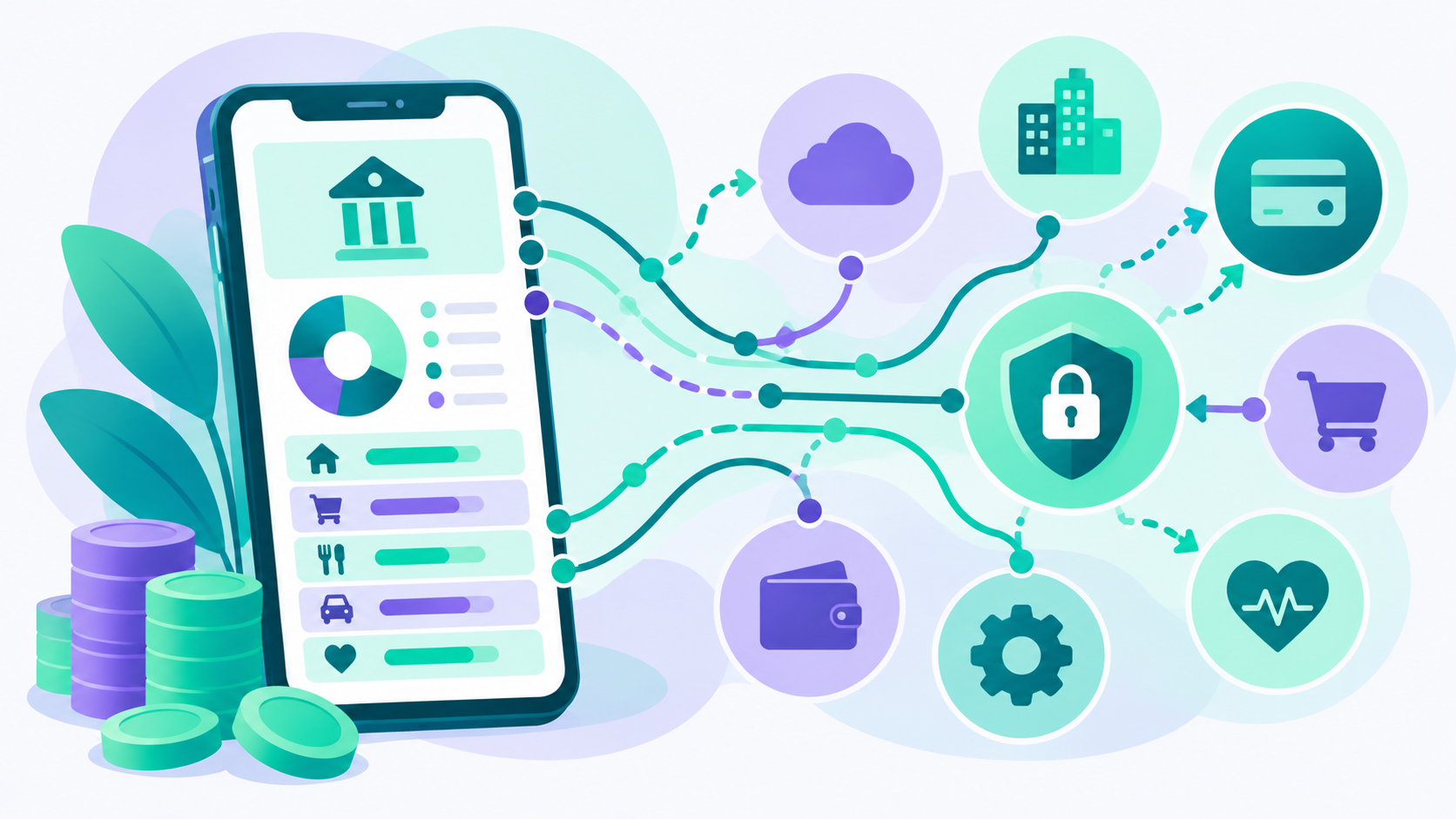
Most budgeting apps don’t connect directly to your bank. Instead, they use a third-party data aggregator, most commonly Plaid, but also MX and Finicity, to act as the bridge between your bank and the app. When you tap “connect account” in a budgeting app, here’s the actual flow:
You enter your bank login credentials into a Plaid-controlled interface, often designed to look like your bank’s login screen. Plaid authenticates with your bank on your behalf and gains access to your accounts. Plaid collects your account details, balance, transaction history, and depending on the bank’s integration, may collect and handle your actual login credentials. Plaid then shares a subset of that data with the budgeting app you’re using.
That means three entities now have some level of access to your financial picture: your bank, Plaid, and the budgeting app. Each has its own privacy policy and its own data practices.
Plaid says it does not sell your raw banking data to third parties, and it generates a secure token rather than storing your actual credentials in most integrations. But Plaid does share your data with the developer of the app you authorized, your financial institutions, service providers, business partners, and potentially buyers if Plaid is merged or acquired, according to its own privacy policy. A 2022 class-action lawsuit against Plaid resulted in a $58 million settlement over transparency practices related to how it collected and used consumer data.
And deleting the budgeting app from your phone does not sever Plaid’s connection to your bank. That requires going to my.plaid.com and manually revoking access.
What the Budgeting App Itself Does With Your Data
Even setting Plaid aside, the budgeting app itself has your financial data, and what it does with it varies significantly by app.
Reputable apps generally do not sell your identifiable personal financial data. But “not selling” is not the same as “not sharing.” The practices that are common across many free budgeting apps include sharing anonymized or aggregated transaction data with financial research partners, surfacing targeted financial product recommendations based on your spending patterns, sharing behavioral data with analytics platforms, and using your spending history to improve their own AI models and features.
The distinction that matters is whether the data being shared is identifiable or anonymized. Truly anonymized data, stripped of all identifying information and aggregated across thousands of users, carries different privacy implications than data that could be re-identified. Privacy researchers have repeatedly demonstrated that detailed transaction histories can often be re-identified even when stripped of obvious identifiers, because spending patterns are surprisingly unique.
For free apps in particular, your data is often part of what funds the service. As one privacy analysis of free budgeting tools put it: the trade-off for free budgeting tools is often your data.
How to Actually Read a Privacy Policy
Most people skip the privacy policy entirely. But you don’t need to read the whole thing. There are four sections worth finding and reading specifically.
Data collected. What information does the app actually gather? Look for whether it goes beyond transactions to include device data, location, or behavioral information.
Data sharing. This is the most important section. Look for language about sharing with “affiliates,” “partners,” “service providers,” or “third parties for advertising purposes.” These phrases are doing a lot of work. “Service providers” can mean dozens of companies you’ve never heard of.
Data retention. How long does the app keep your data after you stop using it? Some apps keep data indefinitely. Others have defined retention windows. This matters because if the company is acquired or breached years after you delete the app, your data may still be there.
What happens if you delete your account. Does deleting the app delete your data, or just remove it from your phone? These are different things. Look specifically for whether you can request deletion of all data, not just account closure.
If the privacy policy doesn’t clearly answer these questions, that tells you something.
The Questions Worth Asking Before Connecting Any App
Before you hand over bank access to a new budgeting app, these are the questions that actually matter.
Does this app require bank syncing to use its core features? Many apps push bank linking hard during onboarding, but manual entry works fine for the main features. If the app won’t let you proceed without connecting a bank, that’s a design choice worth noticing.
Does this app send my data to AI systems? This is increasingly relevant as more apps incorporate AI-powered categorization, insights, and chatbots. When your transaction history is processed by a large language model, it enters a data environment with its own privacy implications separate from the app’s stated policy.
Is this app free because I’m the product? Free apps have to make money somehow. If you can’t identify the revenue model clearly from the app’s website, the revenue model is probably your data.
What happens to my data if this company is acquired? Budgeting app companies get acquired, and data is often the primary asset being transferred. A company that promises not to sell your data today may have no control over what happens to it after an acquisition.
The Privacy-First Alternative
The most private approach to budgeting is manual entry with no bank connection at all. Your data stays on your device or in a minimal cloud environment controlled by the app, and no third-party aggregator ever enters the picture.
Lucky Friday is built around this approach. It’s a privacy-first budgeting app, available on iOS and web, with a permanent free tier that includes unlimited custom budget categories, manual transaction entry, monthly and annual budget views, and net worth tracking, with no credit card required and no trial expiration.
The core privacy commitment is explicit: your financial data is never sent to AI models, never sold to third parties, and never used for advertising. That’s not just a marketing claim. It reflects a deliberate architectural decision about how the app was built. You can read the full details in Lucky Friday’s privacy policy to see exactly how that commitment is structured.
If you want automatic transaction syncing, Lucky Friday offers bank sync through Plaid on the premium plan at $12.99 per month or $99.99 per year. That means if you opt into bank sync, Plaid’s standard data practices apply, just as they do with any other app that uses Plaid. But the key difference is that Lucky Friday itself does not process that transaction data through AI or use it for advertising, which is where most apps introduce additional privacy exposure beyond what Plaid does.
For a comparison of how different budgeting apps handle your data, our deeper look at budgeting apps that don’t use AI to process your data walks through the specific practices to watch for.
What to Do If You’ve Already Connected Your Bank to Multiple Apps
If you’ve connected your bank to several budgeting apps over the years and you’re not sure what’s still active, here’s a practical cleanup process.
Go to my.plaid.com. Log in and you’ll see every app that currently has active access to your financial data through Plaid. You can revoke access to any of them individually. This doesn’t delete data that’s already been collected, but it stops ongoing access.
Check your bank’s settings directly. Many banks now have a “connected apps” or “third-party access” section in their settings where you can see and revoke authorizations independently of Plaid.
Request data deletion from apps you no longer use. Most privacy policies include a process for requesting deletion of your data. It takes a few minutes and removes your information from companies you no longer have a relationship with.
Review the privacy settings on any active apps. Some apps let you opt out of certain data sharing categories, such as advertising or analytics, within their settings. These options are rarely surfaced prominently but are worth finding.
The Honest Trade-Off
Bank syncing is genuinely useful. Automatic transaction import saves time, makes it easier to stay current with categorization, and lowers the friction of maintaining a budget. There’s a reason most people use it.
The question is whether the privacy trade-off is worth it for you, and whether you’re making that trade deliberately or by default. Most people who connect their bank to a budgeting app haven’t read what they agreed to. They just wanted to see their transactions.
Making that choice consciously, with a clear understanding of what data flows where and to whom, puts you in a meaningfully better position than most people who use these tools. And if you decide the trade-off isn’t worth it, manual entry is a genuinely viable alternative, especially for people who are just starting to build budgeting habits. Our post on why budgeting apps fail even when people are trying covers the habits that make the difference, regardless of which approach you choose.
Common Questions About Budgeting App Data Privacy
Do budgeting apps sell your financial data?
Most reputable budgeting apps state explicitly that they do not sell your identifiable personal financial data. However, many do share anonymized or aggregated data with analytics partners, advertising networks, or financial product companies. A 2026 study found that 60% of popular budgeting apps share user data with third parties in some form. Reading the data sharing section of the privacy policy, not the marketing page, is the only reliable way to know what a specific app does.
What does Plaid do with your bank account data?
Plaid acts as a data aggregator that connects your bank account to financial apps you authorize. It collects your account details, balance, and transaction history, and in some integrations may collect and handle your login credentials. Plaid says it does not sell your raw financial data, but it does share data with the app developer you authorized, service providers, and business partners according to its privacy policy. Plaid settled a class-action lawsuit in 2022 for $58 million over transparency practices. You can manage and revoke Plaid’s access to your accounts at my.plaid.com.
Does deleting a budgeting app delete your data?
Usually no. Deleting the app from your phone removes it from your device, but your data typically still exists on the company’s servers until you explicitly request deletion. If the app used Plaid to connect your bank, Plaid’s access to your bank also continues until you revoke it separately at my.plaid.com. Most apps have a data deletion request process in their privacy policy.
Are there budgeting apps that don’t share your financial data?
Yes. Lucky Friday is built with a privacy-first commitment: your financial data is never sent to AI models, never sold to third parties, and never used for advertising. The core budgeting tools are free forever and work with manual transaction entry, meaning your data stays within the app without involving a third-party aggregator. Bank sync is available on the premium plan for those who want automatic imports, but it’s never required.
What should I look for in a budgeting app’s privacy policy?
Focus on four sections: what data is collected, who it is shared with (look for language about affiliates, partners, and third parties), how long it is retained after you stop using the app, and what happens to your data if you delete your account. If the policy doesn’t clearly answer these questions or buries them in vague language, that’s a meaningful signal about the company’s approach to your privacy.
Sources
Incogni Study via DRJ. 12 Out of 20 Popular Android Budgeting Apps Share Your Data. 60% share user data with third parties, 1 in 4 share financial information specifically. 2026. https://drj.com/industry_news/12-out-of-20-popular-android-budgeting-apps-share-your-data-according-to-incogni-study/
Plaid Privacy Policy. Data collection, sharing practices, and credential handling. https://plaid.com/legal/
Plaid Terms of Use via Conduct Atlas. Credential access and storage authorization. https://conductatlas.com/platform/plaid/plaid-terms-of-use-legal-index/credential-access-and-storage-authorization/
Gerald Wallet. Financial Planning Apps Data Deletion: What Really Happens to Your Information. https://joingerald.com/learn/financial-wellness/financial-planning-apps-data-deletion
Michael Ryan Money. Is Plaid Safe? A Financial Planner’s 2026 Guide to Linking Your Bank Account. Plaid $58 million settlement, security practices. https://michaelryanmoney.com/apps-that-use-plaid/
DeleteMe. Plaid Data Practices and Privacy Guide. https://joindeleteme.com/?p=20167
Wikipedia. Plaid Inc. History, controversy, and class-action settlement. https://en.wikipedia.org/wiki/Plaid_Inc.
Gerald Wallet. Financial Planning Apps and Data Privacy: What They Know About You. https://joingerald.com/learn/financial-wellness/financial-planning-apps-data-privacy